
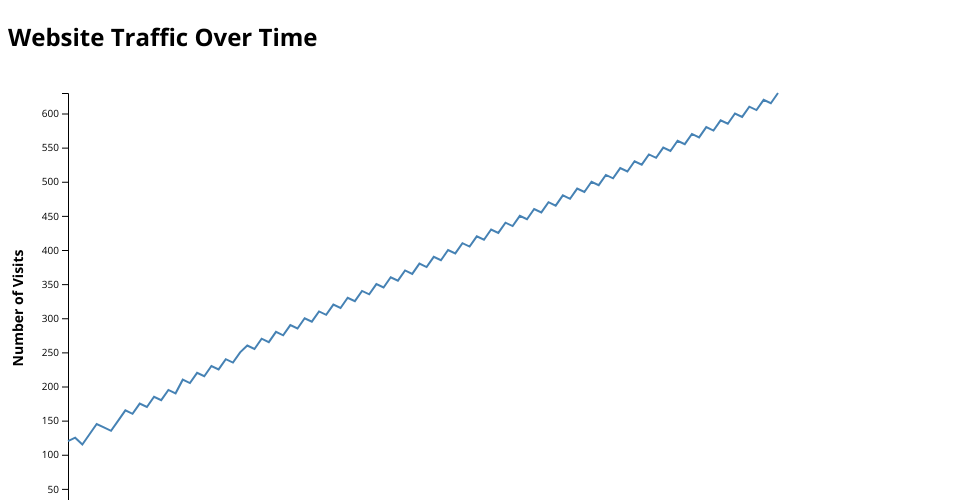
// ------------------------------ // SETUP SVG DIMENSIONS // ------------------------------ const margin = { top: 20, right: 30, bottom: 50, left: 60 }; const width = 800 - margin.left - margin.right; const height = 500 - margin.top - margin.bottom;
// Select SVG and append group element const svg =
d3.select("#chart") .append("g") .attr("transform",
translate(${margin.left}, ${margin.top}));
// ------------------------------ // LOAD CSV DATA //
d3.csv("website_traffic.csv").then(data => {
// Convert string values to numbers
data.forEach(d => {
    d.Day = +d.Day;
    d.Visits = +d.Visits;
});

// ------------------------------
// CREATE SCALES
// ------------------------------

// X scale (Day)
const x = d3.scaleLinear()
    .domain(d3.extent(data, d => d.Day))
    .range([0, width]);

// Y scale (Visits)
const y = d3.scaleLinear()
    .domain([0, d3.max(data, d => d.Visits)])
    .range([height, 0]);

// ------------------------------
// ADD AXES
// ------------------------------

// X Axis
svg.append("g")
    .attr("transform", `translate(0, ${height})`)
    .call(d3.axisBottom(x));

// Y Axis
svg.append("g")
    .call(d3.axisLeft(y));

// ------------------------------
// ADD AXIS LABELS
// ------------------------------

// X-axis label
svg.append("text")
    .attr("class", "axis-label")
    .attr("x", width / 2)
    .attr("y", height + 40)
    .attr("text-anchor", "middle")
    .text("Day");

// Y-axis label
svg.append("text")
    .attr("class", "axis-label")
    .attr("transform", "rotate(-90)")
    .attr("x", -height / 2)
    .attr("y", -45)
    .attr("text-anchor", "middle")
    .text("Number of Visits");

// ------------------------------
// CREATE LINE GENERATOR
// ------------------------------
const line = d3.line()
    .x(d => x(d.Day))
    .y(d => y(d.Visits));

// ------------------------------
// DRAW LINE CHART
// ------------------------------
svg.append("path")
    .datum(data)
    .attr("class", "line")
    .attr("d", line);
});
MIT Licensed